|
RISC OS software index
|
| |||
|
The text input facilities of Draw itself are fairly
primitive for anything other than a simple string. Changing
the style within a string, or using subscripts, superscripts
and greek letters entail a lot of dragging of independent
characters into position. This is a simple application to
make it easier to enter complex text objects into draw. Up
to six different font styles can be included in a single
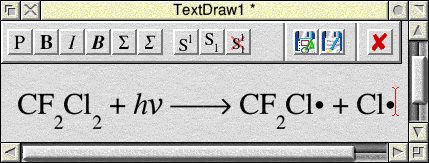
string, with multi-levels of sub/superscript. Chemical
formulae, for example, are much easier to enter.
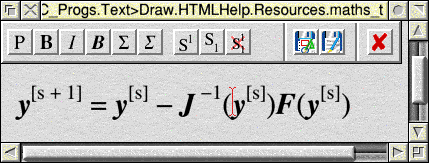
Shown below are examples of some objects being entered into version 1.20 of Text>Draw.
| ||||
Downloads | ||||
|
You may download the following file(s), which are all zip archives.
Text>Draw version 1.20 (18 May 2007) - File size 197 KB.
For the sake of completeness, the earlier version 1.06 is still available. This was written in BBC Basic and compiled with the ABC compiler. It did not make use of the RISC OS Toolbox, but did the required job none-the-less.
| ||||
System requirements | ||||
|
Text>Draw will run on 26-bit and 32-bit machines. On RiscPCs and other 26-bit machines it requires the Castle SharedCLibrary (at least version 5.53) to be installed. This may be obtained from the Castle/Iyonix web site.
For the Iyonix and the A9Home, these machines are supplied with suitable versions of the SharedCLibrary in ROM. Note that Text>Draw uses Toolbox modules for the wimp interface, and it is wise to ensure you have the latest Toolbox modules installed on your machine. If you do not have them they can be downloaded from Castle or from RISCOS Ltd. Both these sets of Toolbox modules are compatible with 26 and 32-bit machines. | ||||
|
Back to software index
All comments and queries to Chris Johnson. |